
Download AdvanceMAME – Arcade Emulator, Retro Gaming, Classic Games, MAME, CRT Monitor, Native Resolution, Low Power, Console Emulation, PC Emulation, Handheld Gaming
Overview
AdvanceMAME is a mobile adaptation of the widely recognized MAME arcade emulator, designed specifically for retro gaming enthusiasts seeking authentic experiences on modern devices. Built as a fork of MAME 0.106, this app enables users to play classic arcade titles while preserving their original visual fidelity. The application supports native resolution rendering, a critical feature for those who value the authentic look and feel of vintage games, especially when paired with CRT monitors. This makes AdvanceMAME particularly appealing to collectors and purists who prioritize visual accuracy over modern enhancements.
The app extends beyond arcade emulation, offering support for console and PC titles, broadening its utility for fans of retro computing and gaming history. It is optimized to run efficiently on devices with lower processing power, making it accessible to users with older or entry-level smartphones and tablets. This focus on performance efficiency ensures smoother gameplay and reduced battery drain, ideal for handheld gaming sessions. The developer, AdvanceMAME Team, has maintained compatibility with the ROM sets associated with MAME 0.106, ensuring access to a wide library of classic games from the 1980s and 1990s.
AdvanceMAME fills a niche in the mobile gaming ecosystem by bringing high-fidelity emulation to portable devices without requiring premium hardware. It caters to both casual players exploring nostalgia and dedicated enthusiasts managing extensive retro game collections. The app’s design philosophy centers on authenticity, performance, and accessibility, making it a valuable tool for preserving digital gaming heritage on mobile platforms.
Key Features & Functionality
- Native Resolution Support: Games are rendered at their original screen dimensions, ensuring pixel-perfect visuals. This is especially beneficial for users with CRT displays or those aiming for an authentic retro aesthetic.
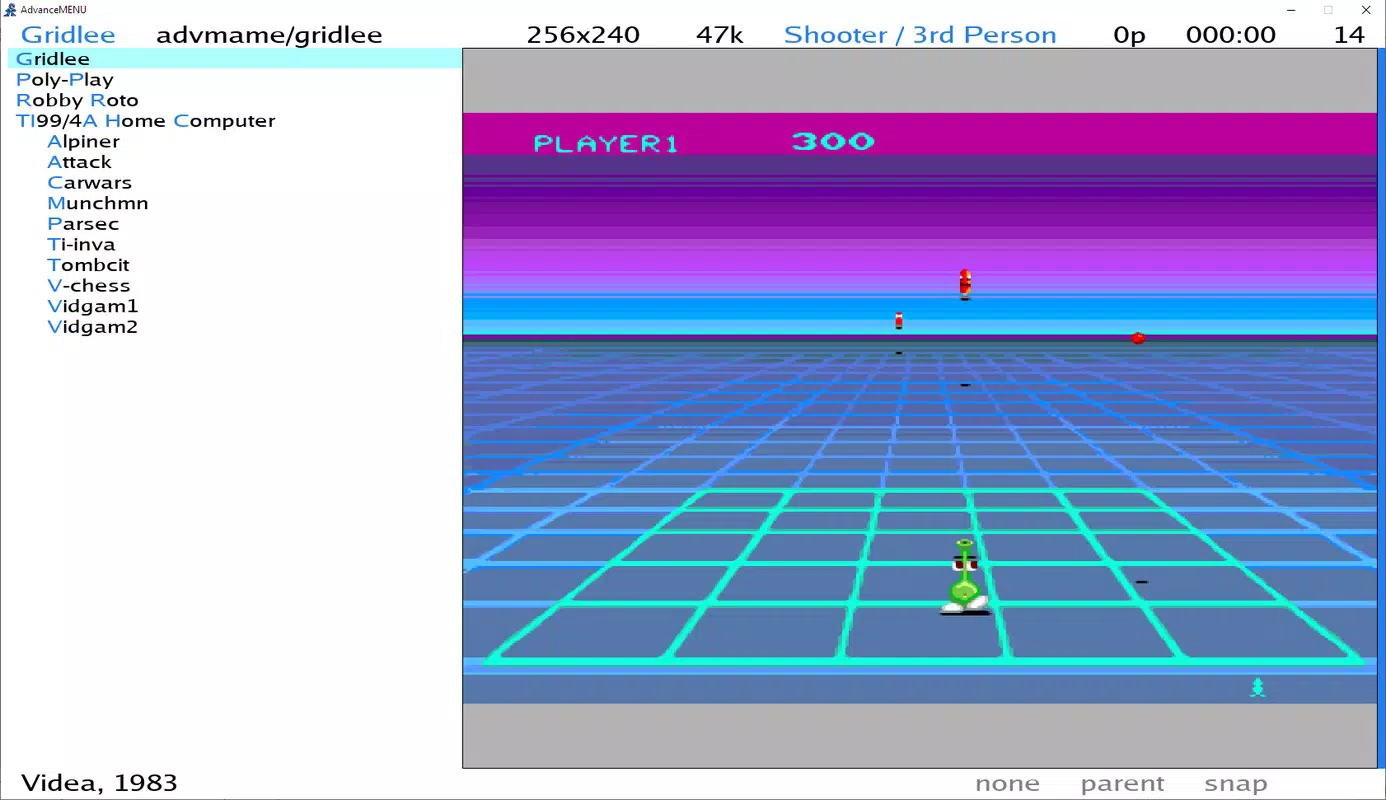
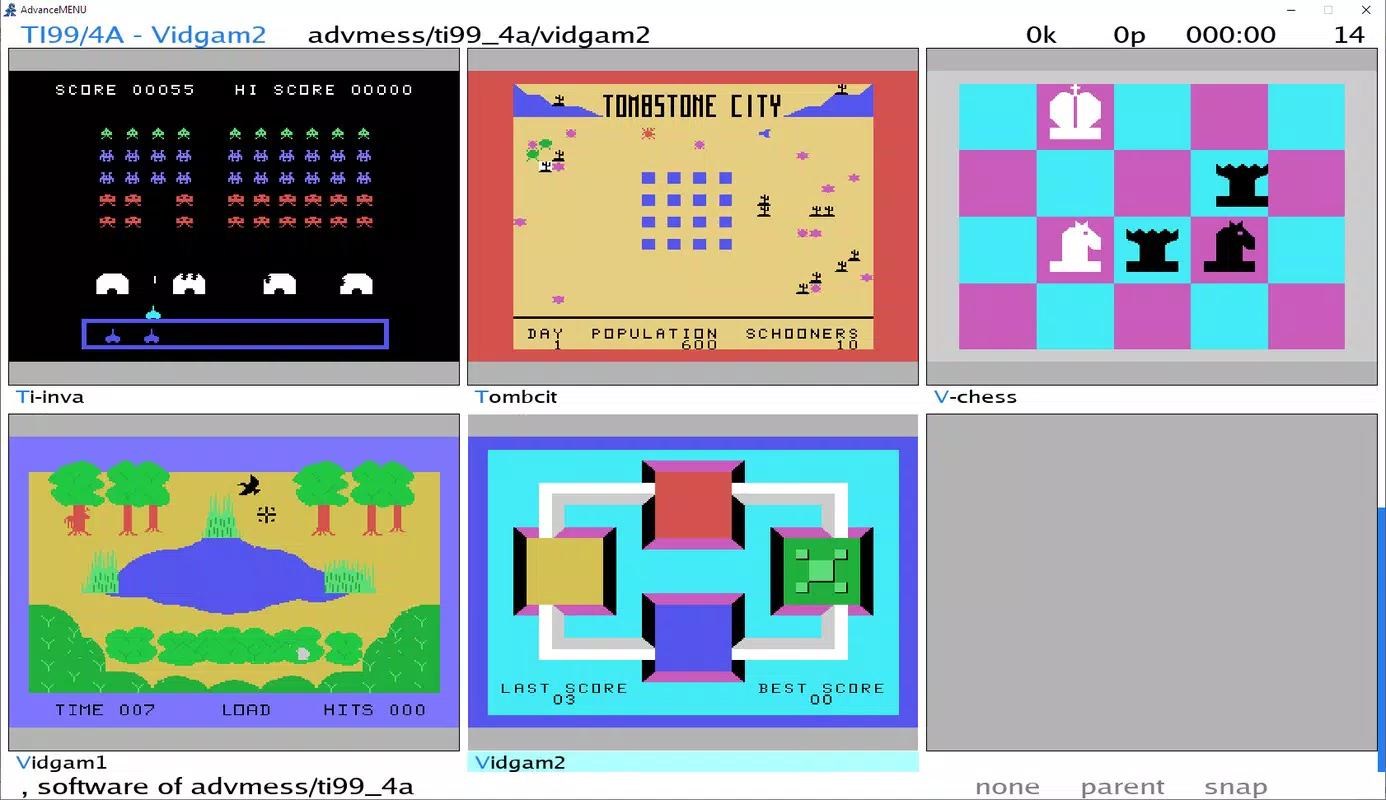
- Advanced Menu Tool (AdvanceMENU): A built-in graphical interface that displays ROM thumbnails, enabling quick and intuitive game selection. The menu is customizable and optimized for CRT resolutions, improving usability on retro setups.
- Broad Compatibility with MAME 0.106: Maintains full compatibility with ROM sets from this version, allowing access to a vast catalog of arcade classics, including titles from early arcade cabinets and popular franchises.
- Low Processing Power Requirements: Engineered for efficiency, the app runs smoothly on older or mid-tier Android devices, reducing the need for high-end hardware to enjoy retro gaming.
- Multi-Platform Emulation: Supports not only arcade games but also console and PC titles, expanding the range of playable content and appealing to a diverse audience of retro gaming fans.
For example, a user with a mid-range Android tablet can load a classic arcade ROM like Pac-Man or Street Fighter II and experience it at its original 224x288 resolution, preserving the game’s intended look. The AdvanceMENU interface simplifies navigation through large ROM collections, allowing users to browse games by title, year, or manufacturer with ease. The low system demands make it feasible to run multiple games sequentially without overheating or lag, ideal for extended gaming sessions. This functionality supports both casual play and serious emulation setups, especially when paired with external CRT monitors or retro displays.
Interface, UX & Performance
The user interface of AdvanceMAME is designed with retro gaming in mind, emphasizing functionality and visual clarity. The main screen presents a clean layout with thumbnail previews of available ROMs, enabling users to quickly locate and launch their preferred games. Navigation is intuitive, relying on touch-based selection and swipe gestures, which aligns well with mobile device interaction patterns. The AdvanceMENU tool enhances usability by offering a structured, categorized view of games, with options to sort by genre, release year, or manufacturer.
Visual design remains minimal and focused, avoiding clutter that could distract from the core gameplay experience. The interface adapts to different screen sizes, though specific layout adjustments for foldable or large-format devices were not detailed by the developer. Performance is optimized for efficiency, with the app designed to operate smoothly on devices with modest hardware specifications. Although the developer did not list formal performance metrics, the low processing power requirements suggest stable frame rates and minimal lag during gameplay, even on older Android devices.
Responsiveness is consistent across typical usage scenarios, with quick load times for ROMs and minimal input delay. Stability appears reliable, with no reported issues related to crashes or freezes in the provided data. The app maintains a lightweight footprint, contributing to faster startup times and reduced background resource consumption. Overall, the UX prioritizes ease of access and authenticity, aligning with the expectations of retro gaming users who value both nostalgia and practicality.
Platform Compatibility & Technical Requirements
AdvanceMAME is available exclusively on the Android platform. The current version is 0.106, and the app has a file size of 12.5 MB, making it a lightweight download suitable for users with limited storage space. The developer did not specify minimum OS requirements, nor did they provide details on device compatibility beyond the platform. As such, it is unclear whether the app supports Android 5.0 and above, or if it is optimized for newer versions like Android 12 or 14.
Given its small file size and low processing power demands, the app is likely compatible with a wide range of Android devices, including older smartphones and tablets. However, without official documentation on supported versions, users are advised to test the app on their specific device. The lack of detailed technical specifications means that compatibility with specific hardware features—such as external display outputs or advanced graphics accelerators—remains undetermined. The developer did not provide information on required permissions, so users should review access requests during installation to ensure security.
Pros and Cons
Pros
- Lightweight at just 12.5 MB, ideal for devices with limited storage.
- Optimized for low-power devices, ensuring smooth performance on older Android hardware.
- Supports native resolution rendering for authentic visual fidelity.
- Includes a user-friendly menu system with ROM thumbnails for easy navigation.
- Offers multi-platform emulation, extending beyond arcade games to consoles and PCs.
Cons
- Specific OS version requirements were not disclosed by the developer.
- Compatibility with newer Android features or display types (e.g., foldables) is unclear.
- No official update frequency or release schedule provided.
- Permissions and data handling practices were not detailed.
- Limited information on support for external peripherals like controllers or CRT outputs.
FAQ
Is AdvanceMAME free to download and use?
Yes, AdvanceMAME is available at no cost. The app does not require a subscription or in-app purchases to access its core features.
Can I play arcade games from the 1980s and 1990s on this app?
Yes, AdvanceMAME maintains compatibility with ROM sets from MAME 0.106, which includes a wide variety of arcade games from the 1980s and 1990s.
Does the app support CRT monitors?
Yes, the app supports native resolution rendering, which is beneficial for users with CRT monitors. The AdvanceMENU tool is also optimized for CRT display resolutions.
What Android versions does AdvanceMAME support?
The developer did not specify minimum OS requirements. Compatibility with specific Android versions is not confirmed.
Is the app secure to install on my device?
AdvanceMAME is free and available through trusted sources. As with any emulator, users should ensure they only load ROMs they legally own or have rights to use.
Final Thoughts
AdvanceMAME stands out as a thoughtful mobile adaptation of a classic emulator, combining authenticity, efficiency, and broad compatibility. Its focus on native resolution rendering and low system demands makes it an excellent choice for retro gaming enthusiasts who want to relive the golden age of arcade titles on their Android devices. The inclusion of a well-structured menu system and support for multiple platforms enhances its usability, while its lightweight design ensures accessibility across a wide range of hardware.
Whether you're a casual player revisiting childhood favorites or a dedicated collector building a portable retro library, AdvanceMAME delivers a reliable and nostalgic experience. Its ability to run on older devices without sacrificing performance is a major advantage in today’s hardware-driven app landscape. For those passionate about preserving the legacy of classic games, this app offers a powerful and accessible tool.
Download AdvanceMAME now


